
Point of sale
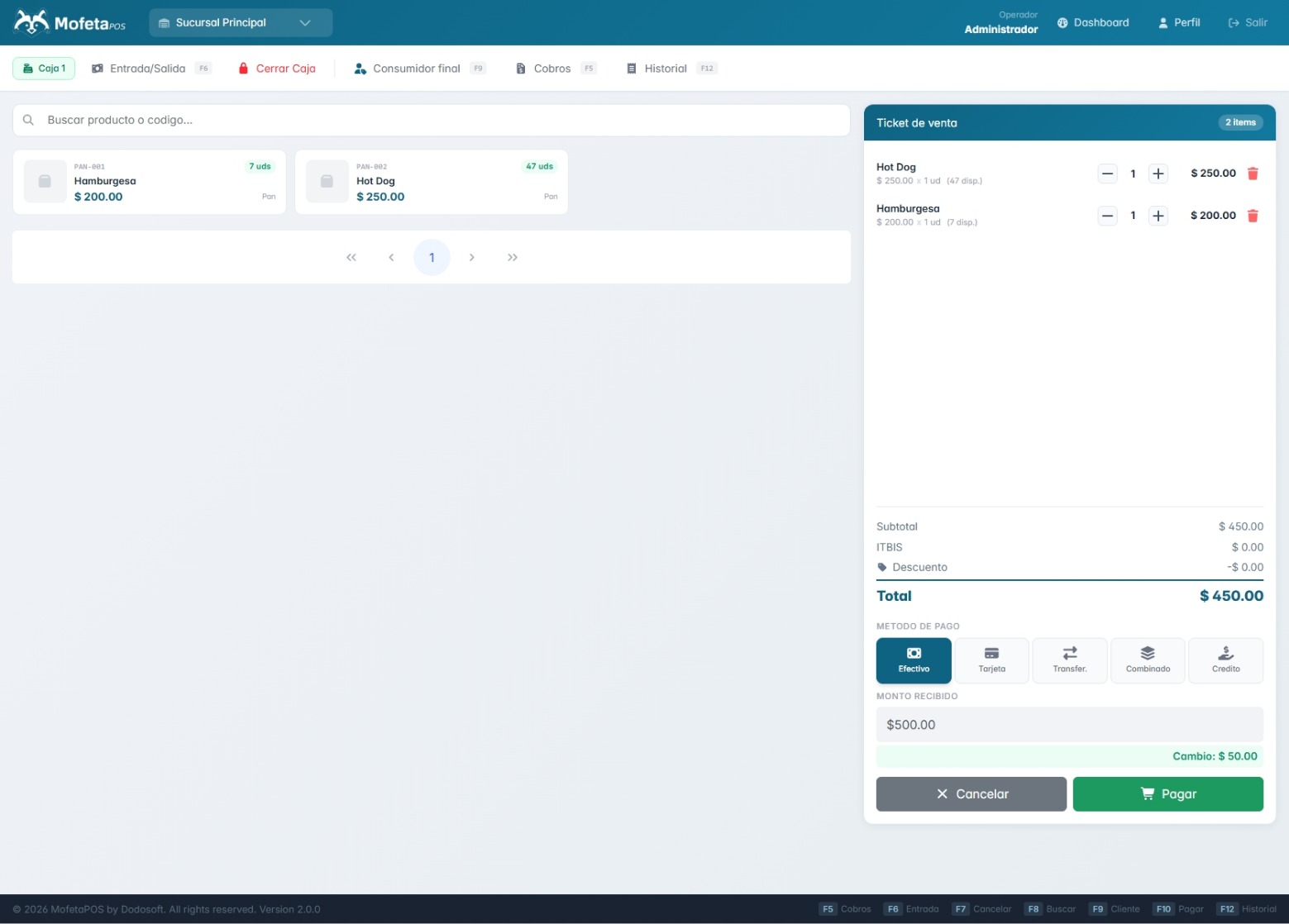
Sell fast from the counter with a sales cart, item search, and shift and cash register control.
Point of sale built for your business
MofetaPOS brings together sales, inventory, customers, finances, and multiple branches in one system, fast and easy to run from the counter.
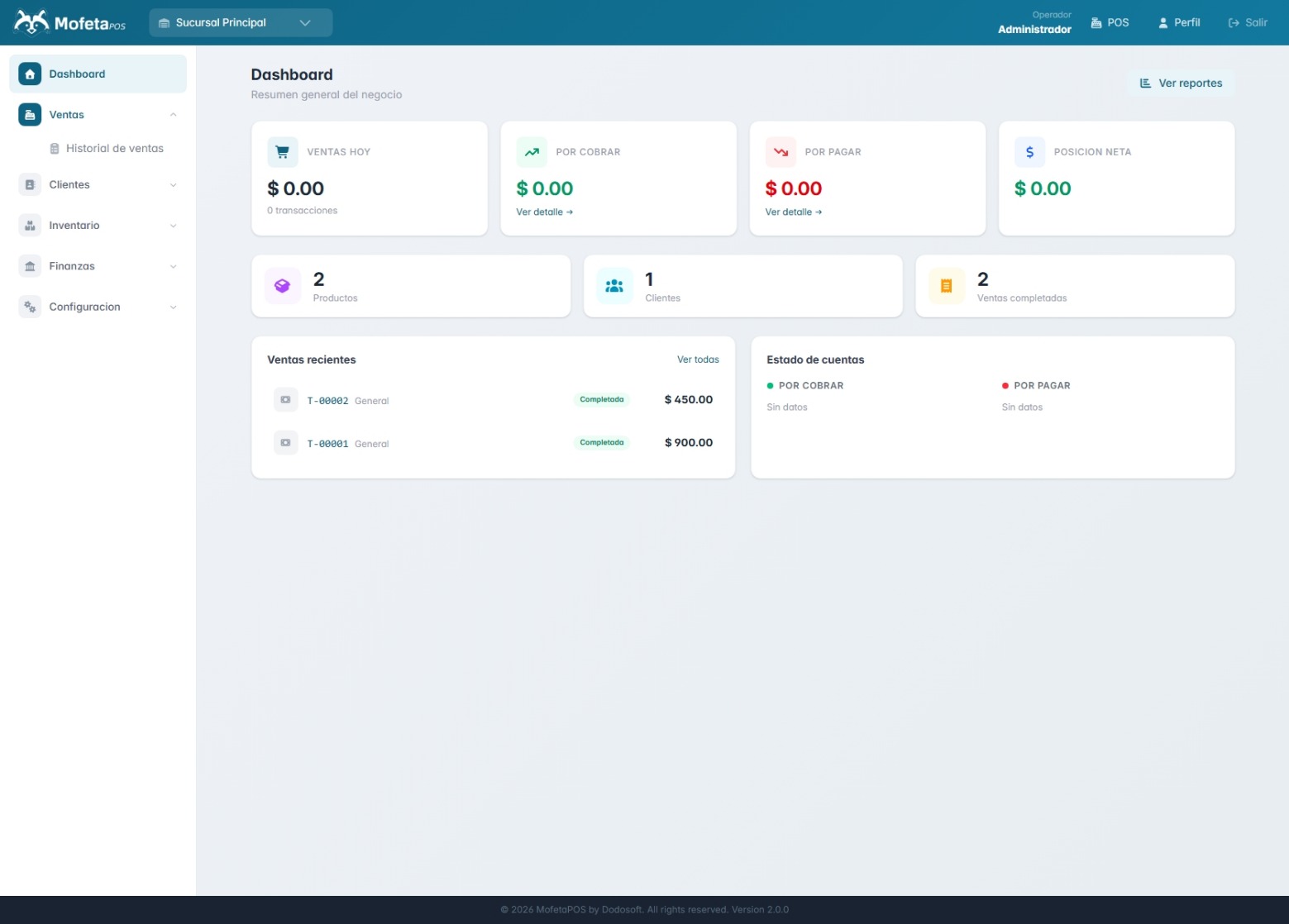
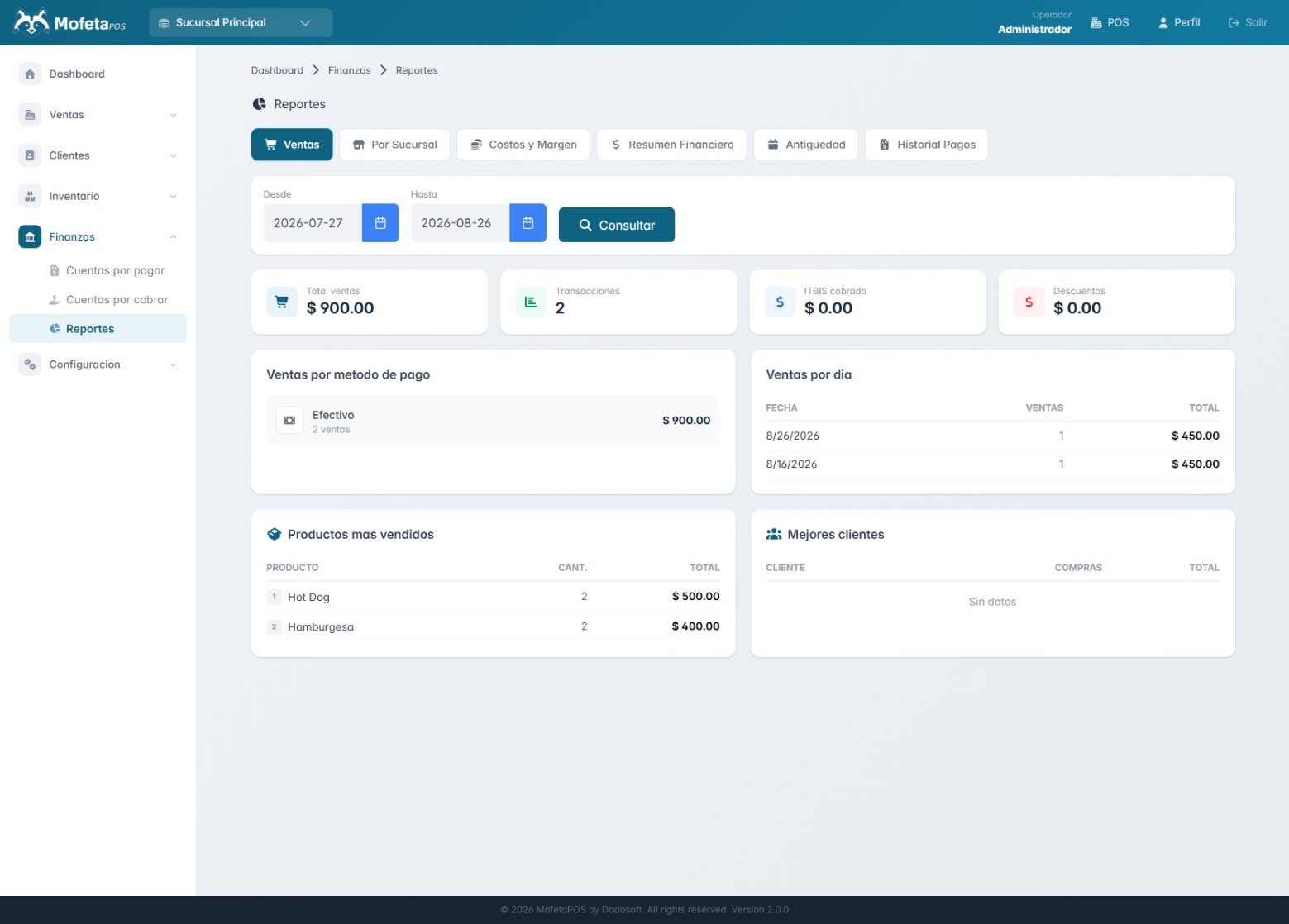
A complete system, not a collection of loose tools.
Sell fast from the counter with a sales cart, item search, and shift and cash register control.
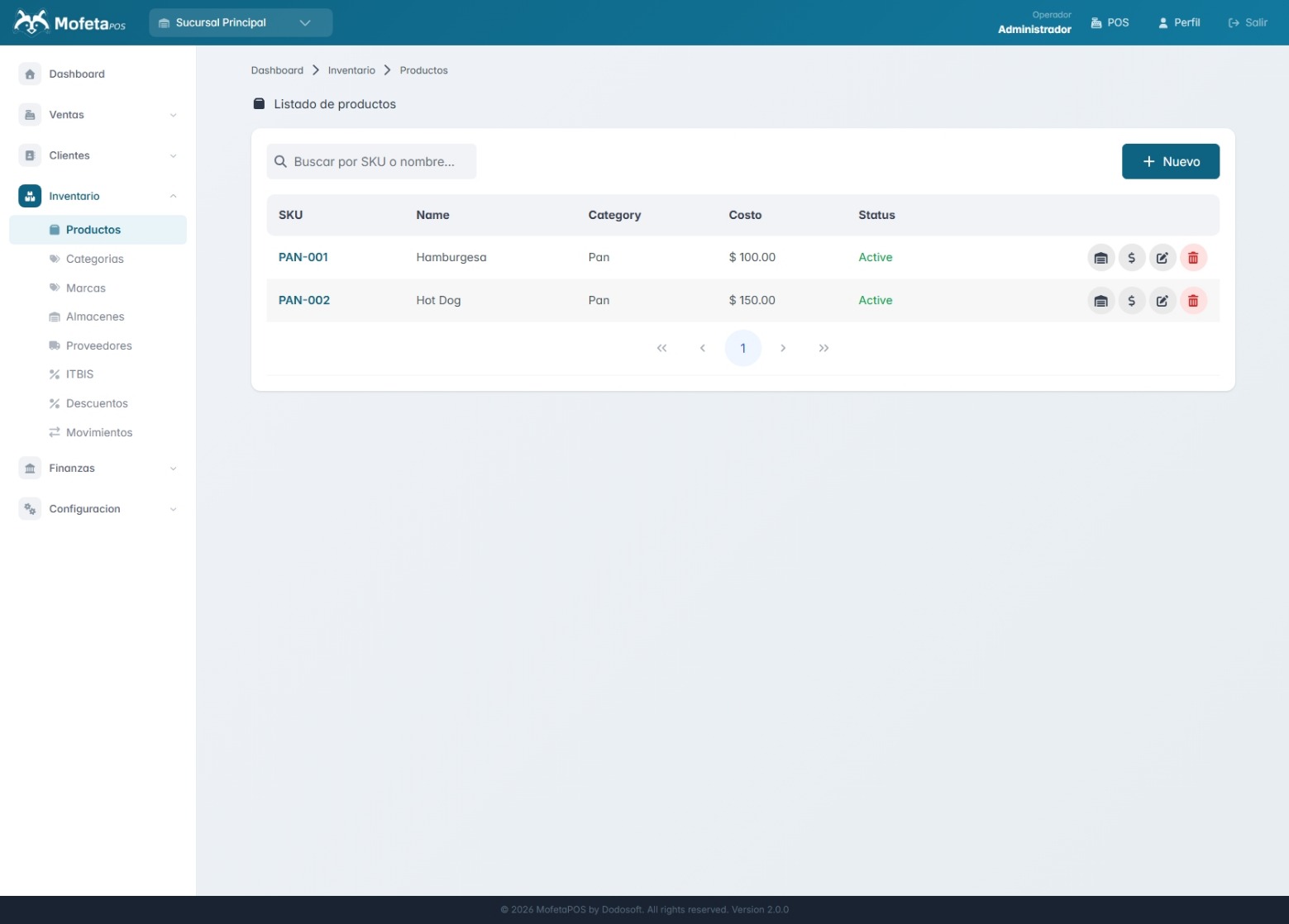
Products, categories, brands, warehouses, and suppliers, with full stock movement tracking.
Set up taxes like ITBIS and discounts that apply to your products.
Keep a customer list and track accounts receivable from credit sales.
Track your business's accounts payable and receivable, with payment follow-up.
Manage several branches and warehouses from one account, each with its own inventory.
Admin and operator roles with differentiated access to each module of the system.
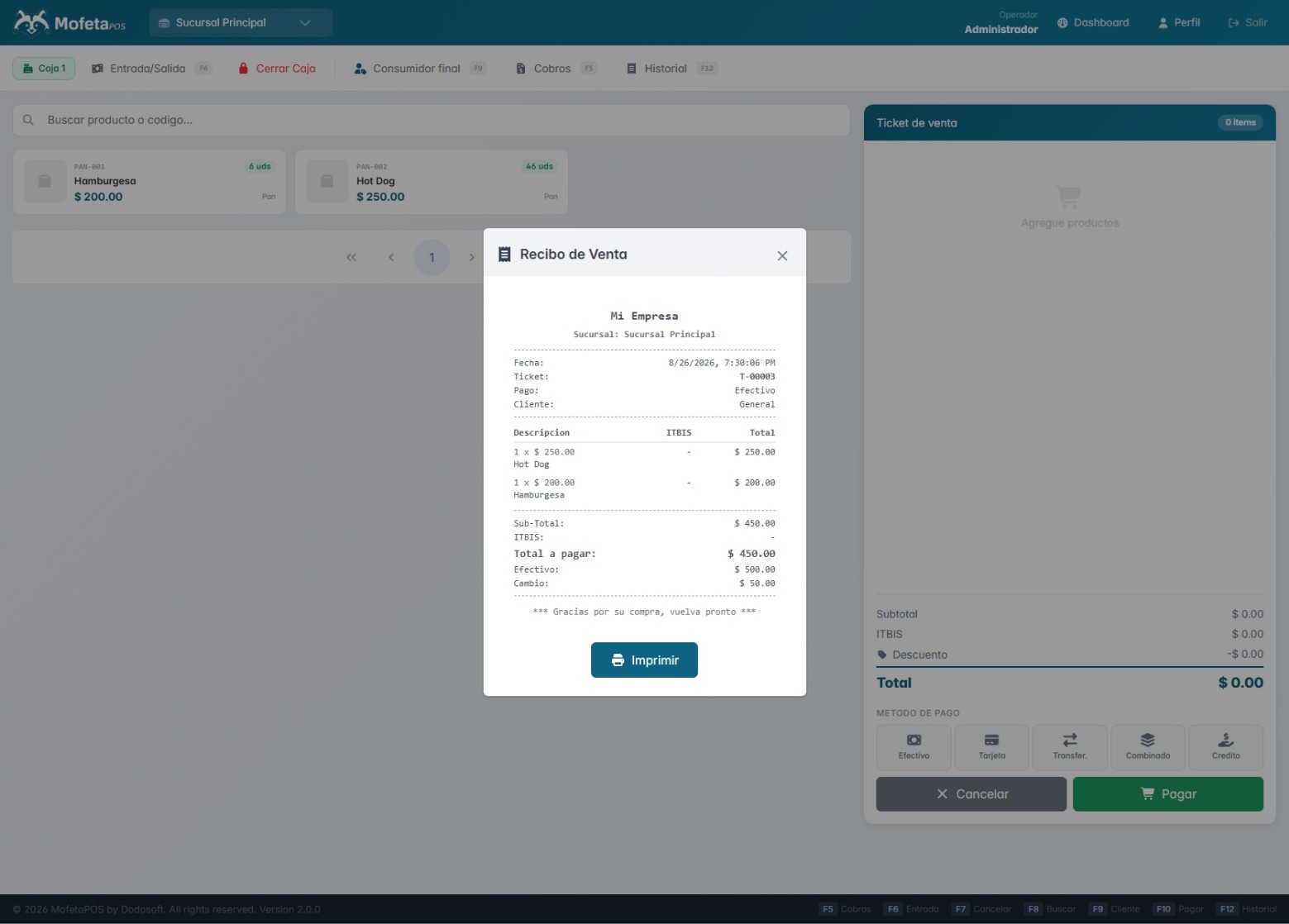
Print receipts on ESC/POS thermal printers connected via TCP or USB.
MofetaPOS runs as a local service on your computer or network, serving the API and interface from the same backend. You don't depend on an external cloud provider for day-to-day operation.
From the admin panel to the counter, the same visual identity and the same ease of use.
Financial and sales information organized and ready whenever you need it.
Sell from the counter with control over inventory, categories, and product brands.
Manage multiple warehouses, suppliers, and stock movements between them.
Centralize the operation of all your branches under one administration.
Track accounts receivable from customers who buy on credit.
No complications, in four steps.
Register your business, branches, users, and taxes like ITBIS.
Add products, categories, brands, suppliers, and the stock of each warehouse.
Open the cash register shift and start selling with the cart and item search.
Review reports, accounts payable and receivable, and each branch’s performance.
Start free and grow at your own pace. No forced contracts, no surprises.
$0/mo
From $100/mo
From $150/mo
What people ask us most about MofetaPOS.
MofetaPOS runs as a service on your own computer or local server, so it doesn't depend on an internet connection to operate. Connected devices sync data with each other.
The official installer is available for Windows, where MofetaPOS registers and runs as a system service, starting automatically without needing to leave a terminal open.
It supports thermal printers compatible with the ESC/POS standard, connected over network (TCP) or USB.
Yes. You can register multiple branches and warehouses, and each user can have access to one or several depending on their profile.
The system has admin and operator roles. The operator works mainly from the point of sale, while the admin has access to the full inventory, customers, finance, and settings panel.
Yes, taxes and discounts are set up from the inventory module and applied to your products.

Learn more about MofetaPOS and how to get it running.
Check out MoaPOS too, our mobile point of sale →